 PitchShed
How the free trial works
The 7 days start when you install PitchShed and count down in the popup (“Pro trial — 7 days left”, then 6, and so on). During the trial every control works. There is nothing to sign up for and no card to enter, so there is nothing to cancel either.
What happens when it ends
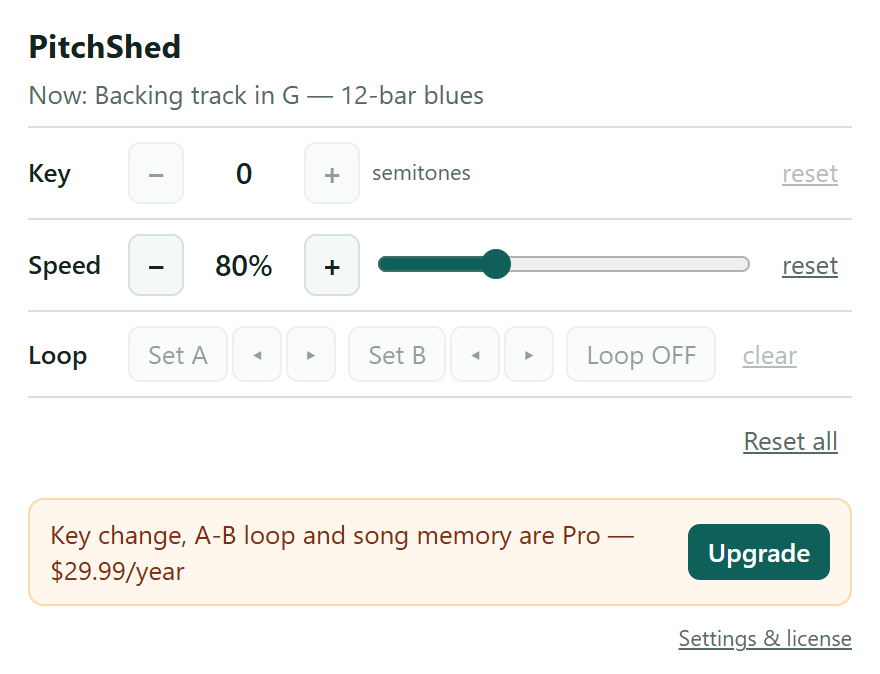
Speed control keeps working, for good. The key, loop and memory controls stay in the popup but are grayed out, with a short note and an Upgrade button. Your saved songs are not deleted: they stay on your device and come back the moment you unlock Pro.
Paying, and getting your key
Checkout opens on this page and is run by Paddle, who sell PitchShed on our behalf as the Merchant of Record: Paddle takes the payment, deals with sales tax and VAT where they apply, and sends your receipt. Right after you pay, you land on a page that shows your license key. If PitchShed is installed in that browser, the page switches Pro on in it for you; otherwise paste the key into the extension's Settings page (right-click the icon, then Options).
One key works on up to three browsers or machines. There is no account: the key is the whole login. If you lose it, the recover page sends it again to the email address you paid with.
Canceling and refunds
Cancel any time with the link in your Paddle receipt; you will not be charged again. If you want your money back, ask within 30 days of a payment and you get it, no reason needed. The refunds page has the details. Manage or cancel your subscription.