 PitchShed
What gets saved
For each song PitchShed saves three things: the key, the speed and the loop points. They are stored as soon as you stop changing them, so there is no Save button and nothing to forget. Your settings are kept on your device, in the browser’s own extension storage, and are never uploaded.
How it knows which song is which
On YouTube it identifies a song by the video’s ID, so a link with a start time or a playlist added to it is still the same song. On other sites it uses the page address without anything after a question mark or a hash. A different upload of the same song is a different video and keeps its own settings.
Getting your settings back
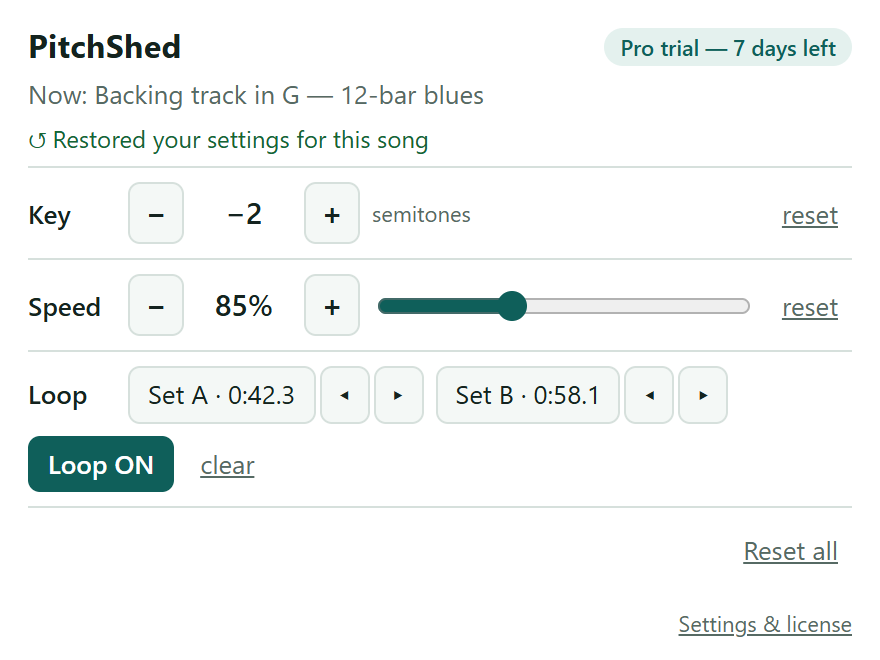
Open the song, start playing and click the PitchShed icon. The popup says “Restored your settings for this song”, and the key, speed and loop are already in place. You need that one click per tab, because PitchShed only runs in tabs you have clicked it in.
How much it remembers
Up to 500 songs. When the list is full, the song you have not touched for longest makes room for a new one. The Settings page shows how many songs are stored, and Forget all songs clears the list in one click.
Song memory is one of the Pro features. It is free during the first 7 days, and the songs saved then are kept even if you do not subscribe: they wait on your device until you unlock Pro.